Device resource isolation
A simple demonstration for device isolation: A task with the following resources.
resources:
  limits:
    nvidia.com/gpu: 1 # requesting 1 vGPU
    nvidia.com/gpumem: 3000 # Each vGPU contains 3000 MiB device memory
    nvidia.com/gpucores: 30 # Each vGPU uses 30% of the device compute
will see only 3000 MiB device memory inside container
How it works
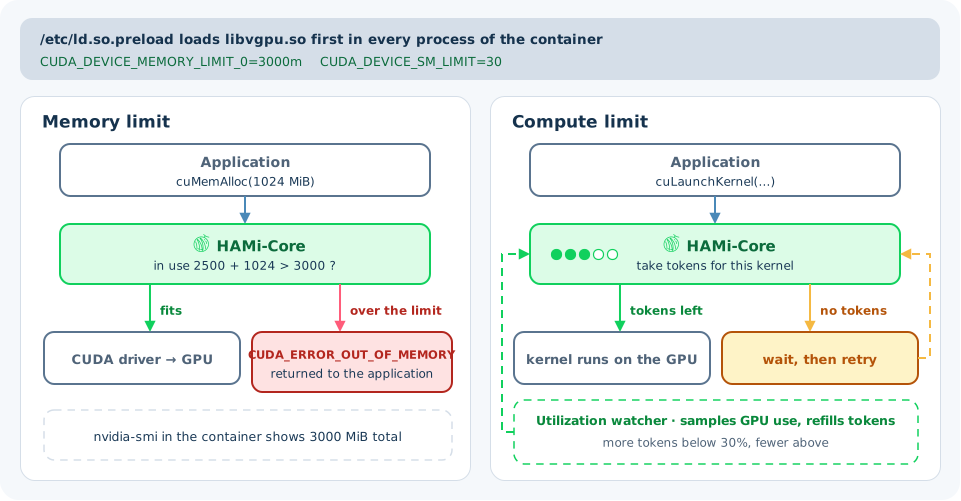
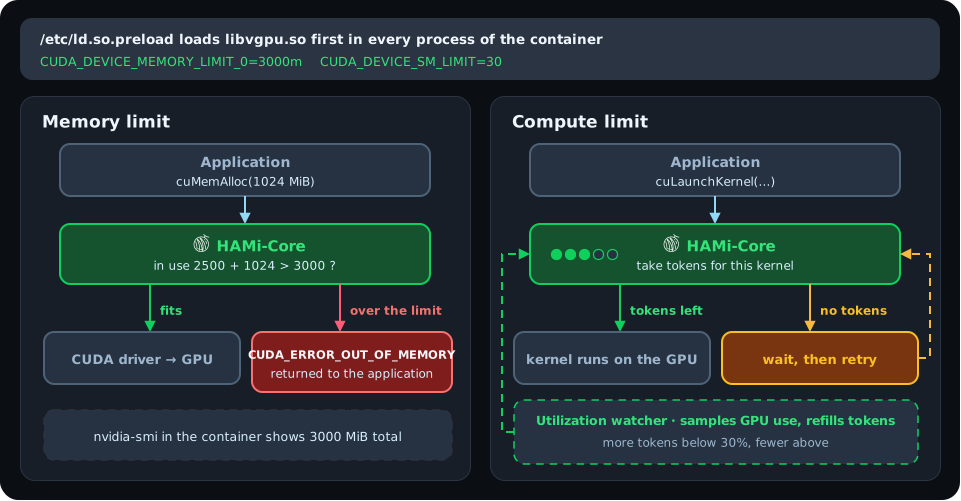
HAMi-Core (libvgpu.so) enforces this task's 3000 MiB memory and 30% compute limits from inside the container, with no changes to the application. The diagram below shows how:
How HAMi-Core gets into the container
When a Pod starts, the device plugin mounts libvgpu.so and /etc/ld.so.preload into the container. It also passes the limits as environment variables: CUDA_DEVICE_MEMORY_LIMIT_<index> for memory and CUDA_DEVICE_SM_LIMIT for compute.
The dynamic linker reads /etc/ld.so.preload whenever a process starts. Every process in the container loads HAMi-Core before the CUDA libraries, and HAMi-Core intercepts the CUDA and NVML calls in its hook table.
Memory
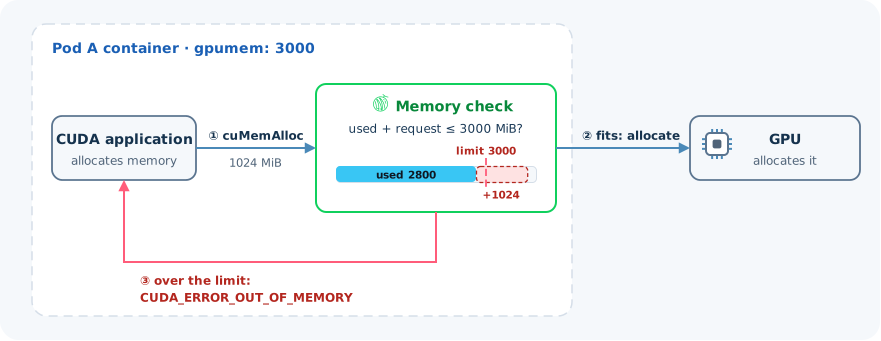
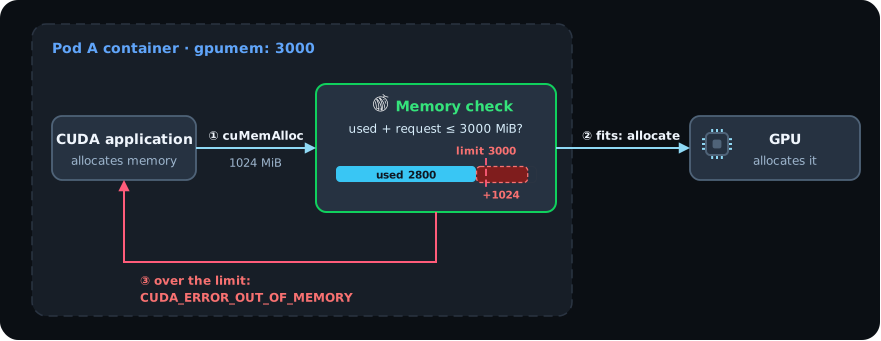
- Before each allocation, such as
cuMemAlloc, HAMi-Core adds the request to what the container already uses. If the total goes past the limit, the call returnsCUDA_ERROR_OUT_OF_MEMORY. Only this container sees the error. Other Pods on the card keep running. - Memory queries through NVML return the limit, so
nvidia-smiinside the container shows the share as the total memory.
Compute
- Before each kernel launch, HAMi-Core takes tokens from a counter. When the counter is empty, the launch waits.
- A background thread samples the GPU's utilization and refills the counter. It refills more while the container is below its share and less while it is above.
- With
gpucoresat 0 or 100, HAMi-Core does not throttle kernels.
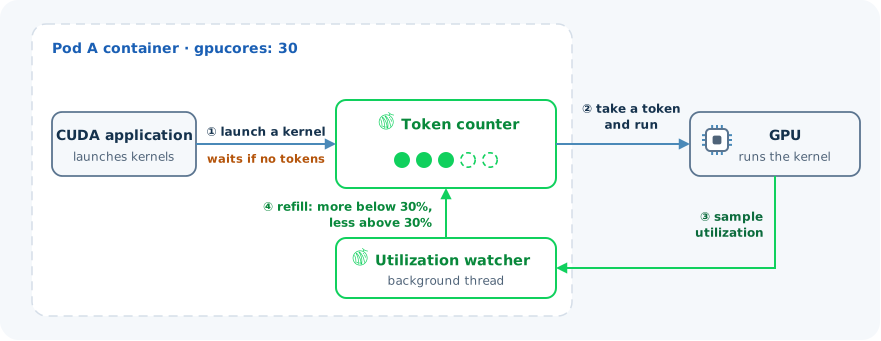
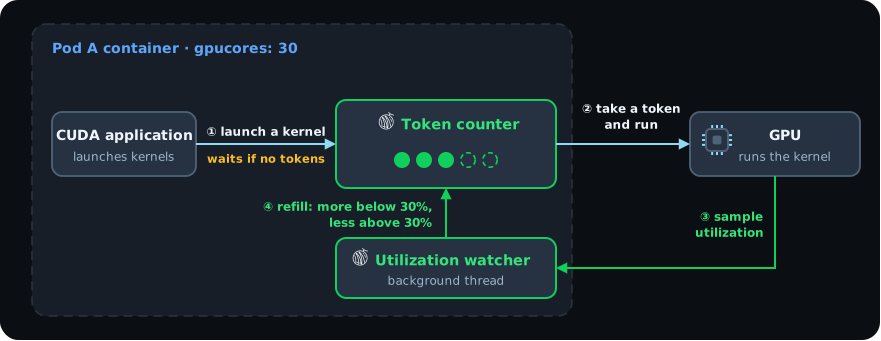
Throttling has three modes. Set the mode for the cluster with the Helm value devices.nvidia.gpuCorePolicy, or for one container with the GPU_CORE_UTILIZATION_POLICY environment variable. See Global config.
| Mode | Behavior |
|---|---|
default | Throttling turns on only while another container on the same card, with the same or a higher nvidia.com/priority, is running kernels. A container alone on a card runs at full speed. |
force | Always throttles to gpucores. |
disable | Never throttles. |
HAMi does not reserve streaming multiprocessors for a Pod, so isolation from busy neighbors is best effort.
Known limitations
- Enforcement happens in software at the CUDA API level. When a workload needs hardware isolation, use MIG. The FAQ compares the two in How does HAMi vGPU differ from NVIDIA MIG?.
- Containers that set
CUDA_DISABLE_CONTROL=true, and inner containers in Docker-in-Docker, run without the preload mount, so no limits apply. - The webhook rejects privileged containers that request HAMi resources.
- Setting
devicePlugin.disablecorelimittotrueturns off the compute limit for all Pods.
If a limit does not hold, see GPU memory limit not enforced.
Learn more
- GPU virtualization principles: the injection and interception steps in detail
- HAMi-core source code
