Device sharing
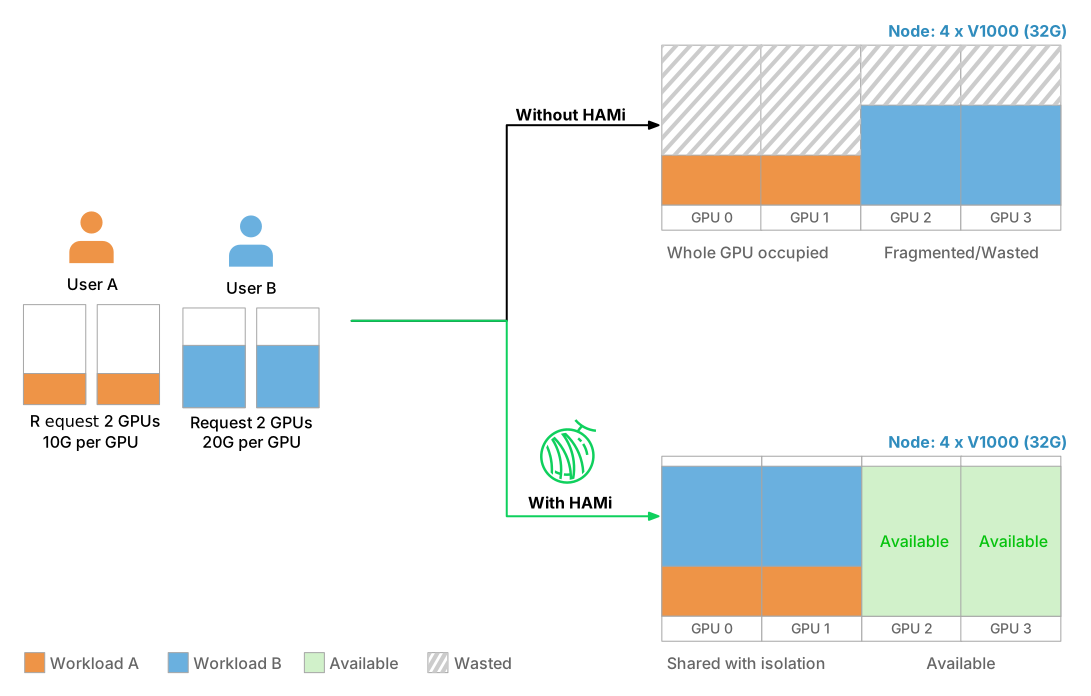
HAMi lets multiple tasks share the same GPU, MLU, or NPU device, maximizing the utilization of heterogeneous AI computing resources.
Capabilities
HAMi's device sharing enables:
- Multi-task sharing: The same device can be shared by multiple tasks, each utilizing only partial device.
- Device memory control: Memory can be allocated by MB or percentage.
- Use specific device: Allows selecting specific types of heterogeneous AI devices or targeting a device using its UUID.
- In-container hard limits: Imposes a hard limit on streaming multiprocessors.
- Non-intrusive control: Requires zero changes to existing programs while managing resource allocation.
- Dynamic MIG support: Supports on-the-fly MIG adjustments for dynamic-mig.
What a Pod asks for
| Resource | Meaning |
|---|---|
nvidia.com/gpu | Number of physical GPUs. With 2, the container gets a share of two different cards. |
nvidia.com/gpumem | Device memory on each GPU, in MiB. |
nvidia.com/gpumem-percentage | Device memory on each GPU, as a percentage of the card. Use it in place of gpumem. |
nvidia.com/gpucores | Compute on each GPU, as a percentage of the card. |
How a card is shared
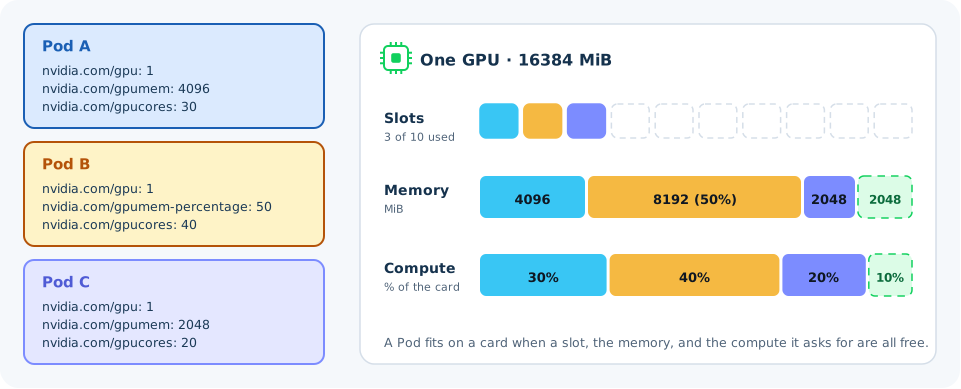
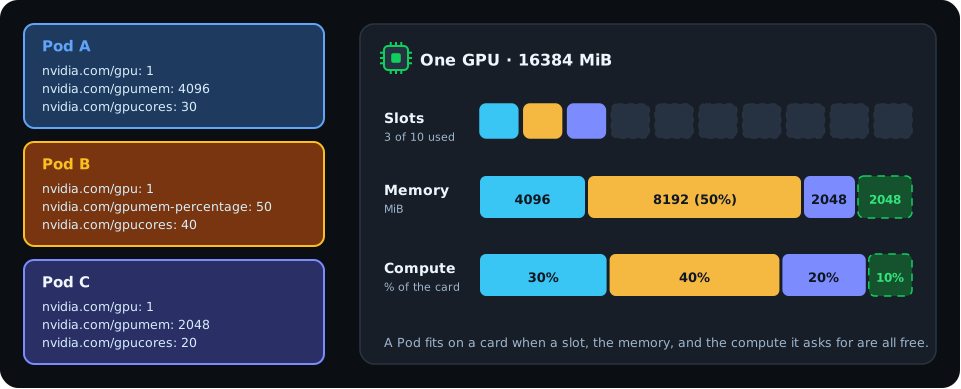
Each card has three budgets:
- Slots. The device plugin reports each card
deviceSplitCounttimes, 10 by default. Each container takes one slot on each card it uses, so up to 10 containers share a card. - Memory. The memory of all containers on a card must fit in the card.
- Compute. The compute shares of all containers on a card add up to 100% at most.
These budgets assume the default deviceMemoryScaling and deviceCoreScaling of 1. Values above 1 let a card be overcommitted. See Configuration.
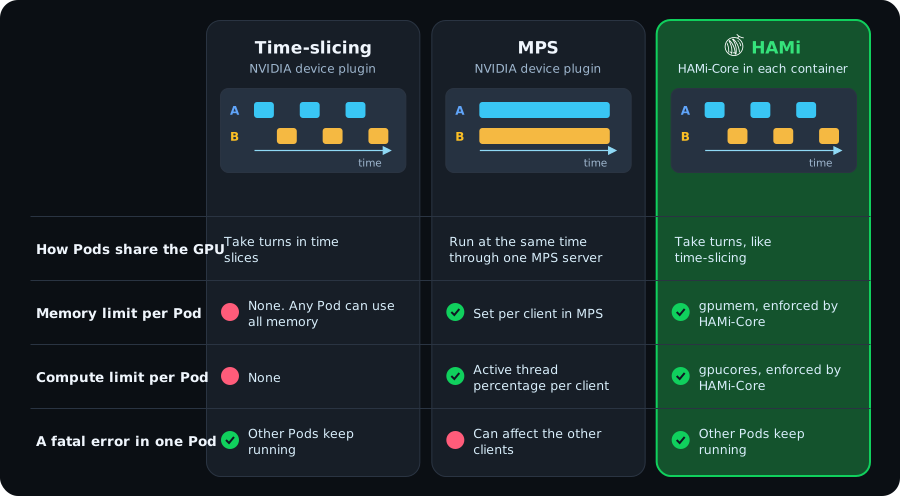
Time-slicing, MPS, and HAMi
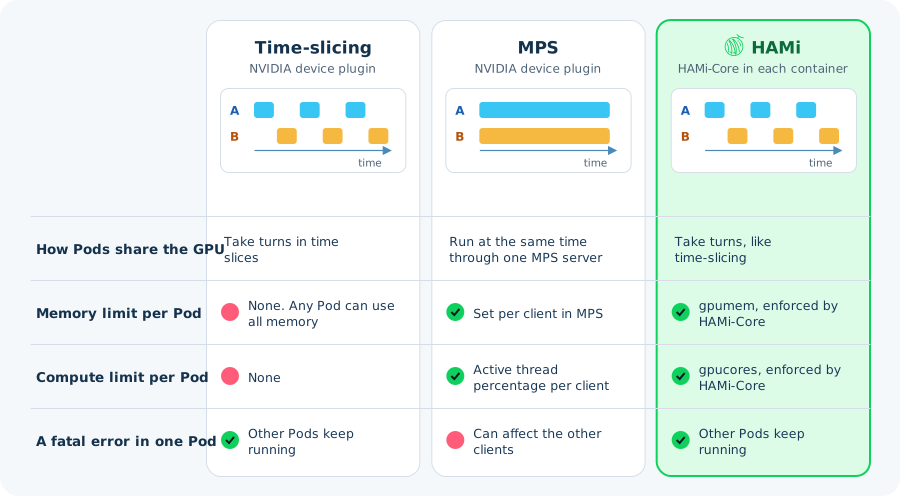
The NVIDIA device plugin can also share a card, through time-slicing or MPS. HAMi shares a card the same way time-slicing does, and adds a memory and compute limit for each container.
Defaults
- A container that sets neither
gpumemnorgpumem-percentagegets all of the card's memory. - When a container sets no
gpucores, and sets no memory request orgpumem-percentage: 100, the webhook setsgpucoresto 100. A container withgpucores: 100only lands on a card that nothing else uses. Sonvidia.com/gpu: 1on its own still means a whole card. - A container that sets
gpumembut nogpucoreshas no compute limit. It shares the card's compute with its neighbors.
Administrators can change these defaults with defaultMemory, defaultCores, and deviceSplitCount. See Global config.
Other devices
Other vendors use their own resource names, and some devices support only part of the model above. Device supported by HAMi lists what each device supports. On NVIDIA cards with MIG, HAMi can also hand out MIG instances. See Dynamic MIG.
Benefits
These features improve resource efficiency and isolation in shared-device environments across diverse device types and workloads.
Learn more
- Device resource isolation: how HAMi enforces each share inside the container
- Allocate device memory and Allocate device cores
